Say it instead of typing it
Press the mic, talk, press it again — the words land in the same box you were going to type into. Speech is transcribed by your own browser, so a spoken thought goes nowhere either.
Fibrae is a canvas for everything you keep meaning to come back to. Paste it or say it, and it suggests what connects to what, tells you when a cluster has enough in it to become something, and turns it into a first draft you can actually edit.
A link, a paragraph, a screenshot from your clipboard. Fibrae works out what it is, pulls the title and preview, and drops it on the canvas.
When a card lands, Fibrae shows the few already on the board it might belong with, and why. Nothing is threaded until you say so.
What belongs together gathers. What doesn’t stays where it is — a canvas is allowed to hold a grocery list next to a year of research.
Not “78% of your cards are linked” — that’s a mirror. Which group has enough material, enough connection and enough variety to be worth finishing.
A brief, a script outline, a shot list, an argument. Built from that cluster and nothing else — then it’s a normal card you can edit, copy or export.
The whole appeal of a draft that came out of your own board is that it actually came out of your own board. So Fibrae holds itself to two rules it doesn’t bend.
The full version, including where Fibrae is the wrong tool →
Fibrae starts saving the moment you type, into your browser’s own storage. No sync, no server, nothing to set up.
Point it at a folder and every canvas becomes a plain .fibrae.json file with
your images beside it in attachments/. Back it up, put it in a git repo, keep
it in the same folder as your notes. It’s yours, in a format you can read without us.
Real screens, light and dark: the home dashboard, the canvas as cards and as a map, and the small settings underneath.
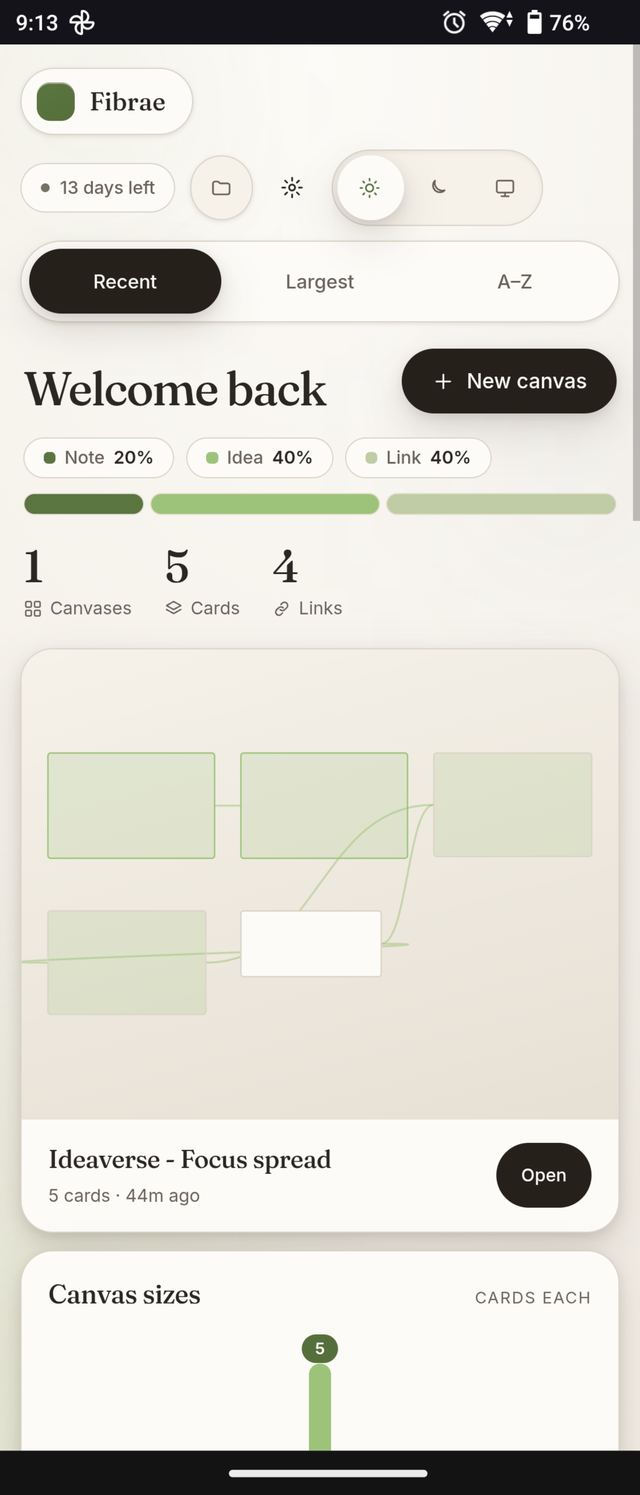
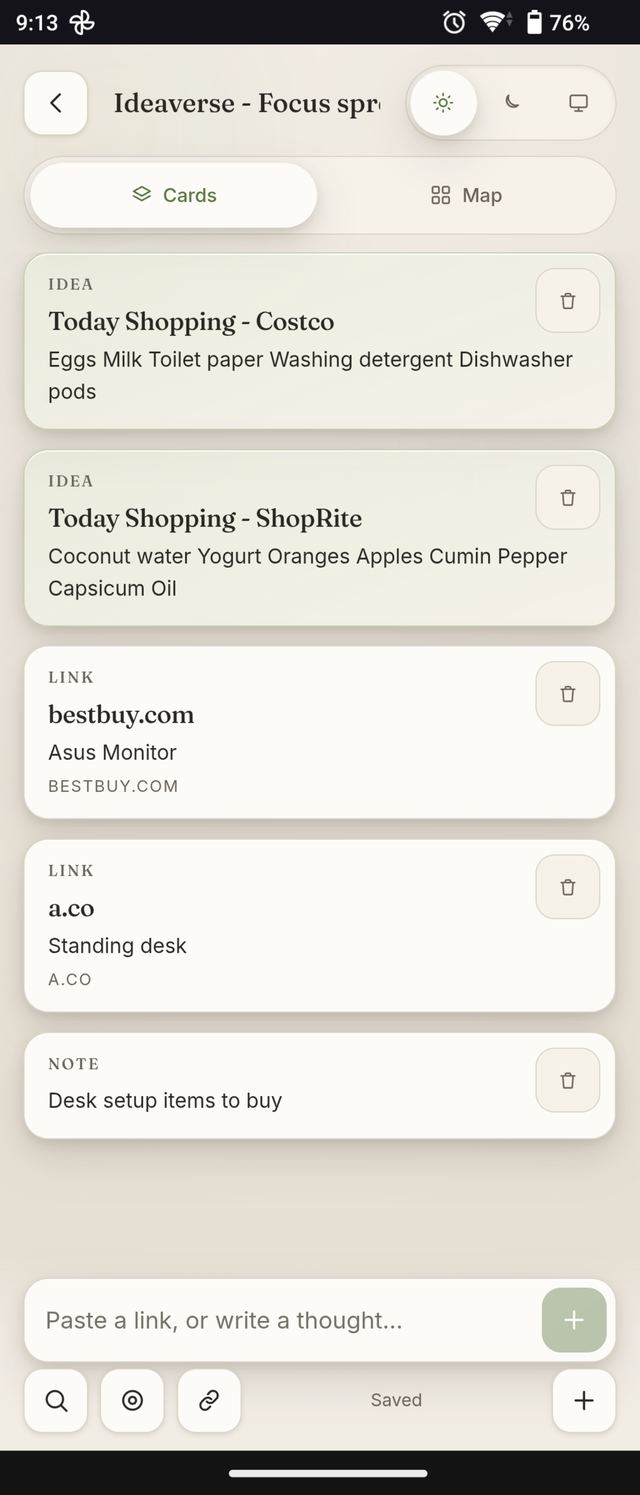
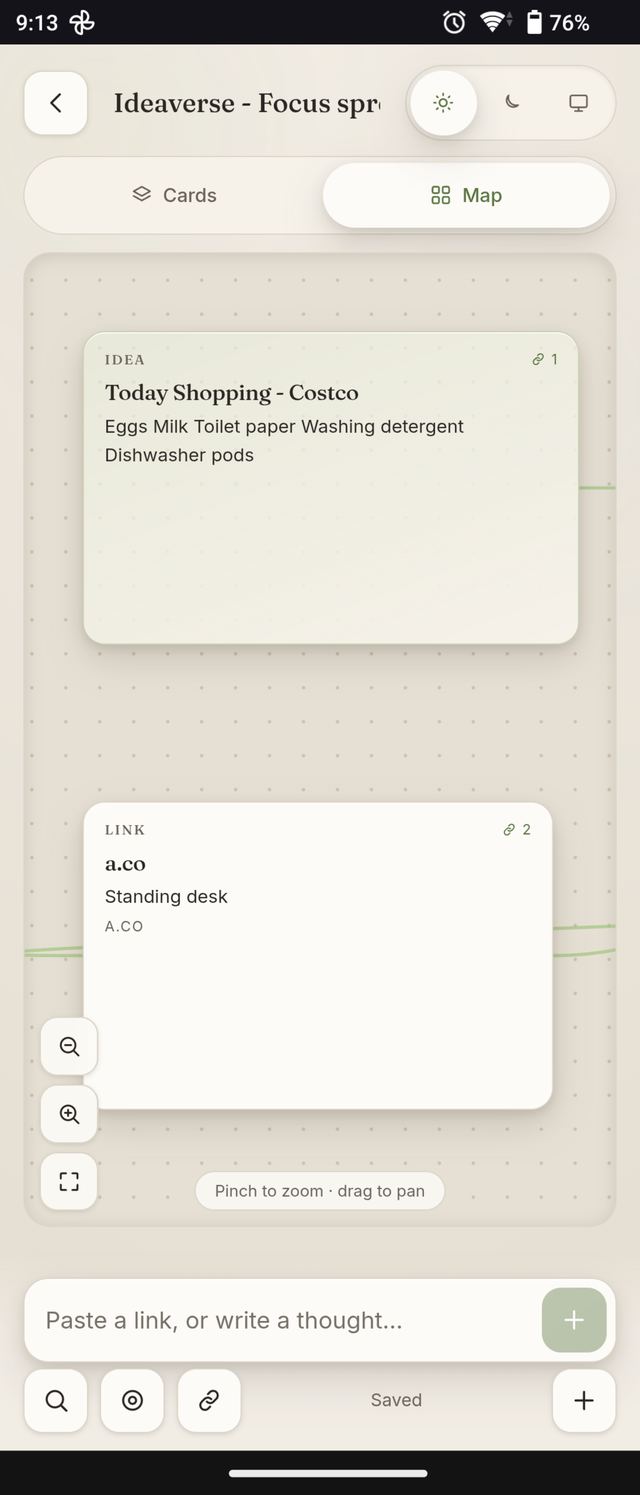
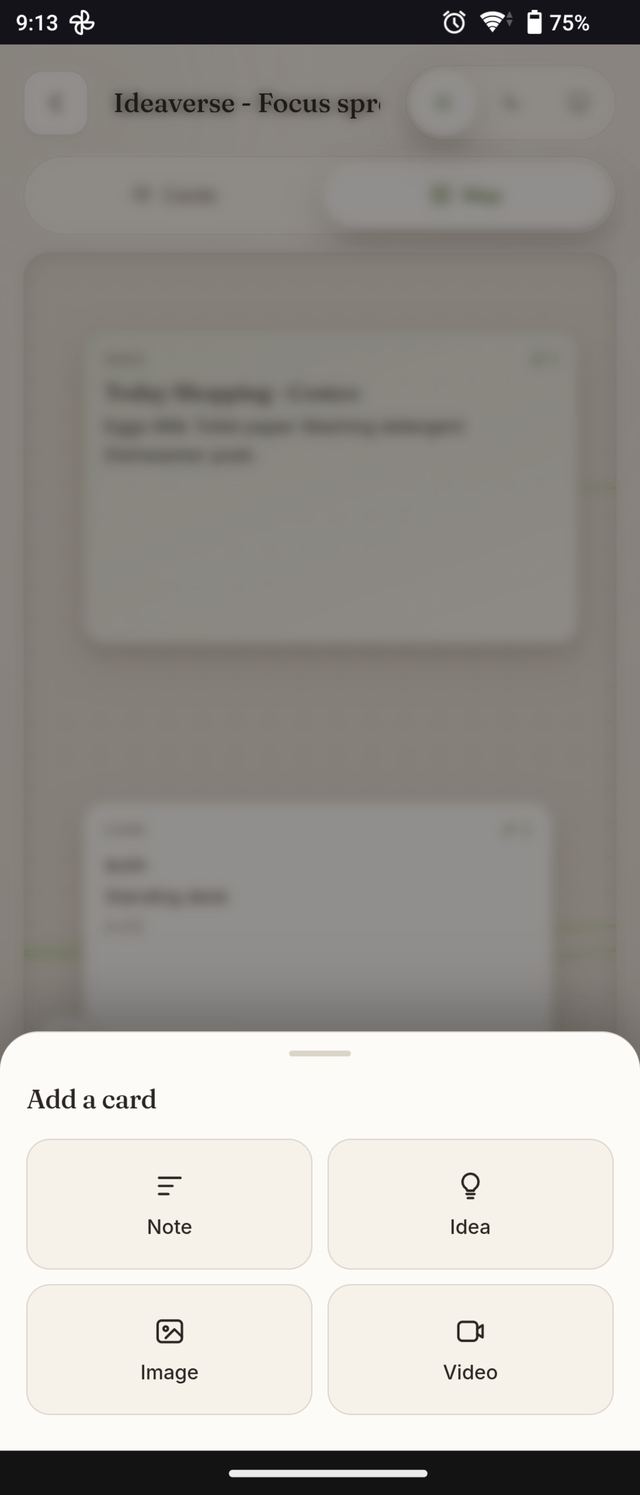
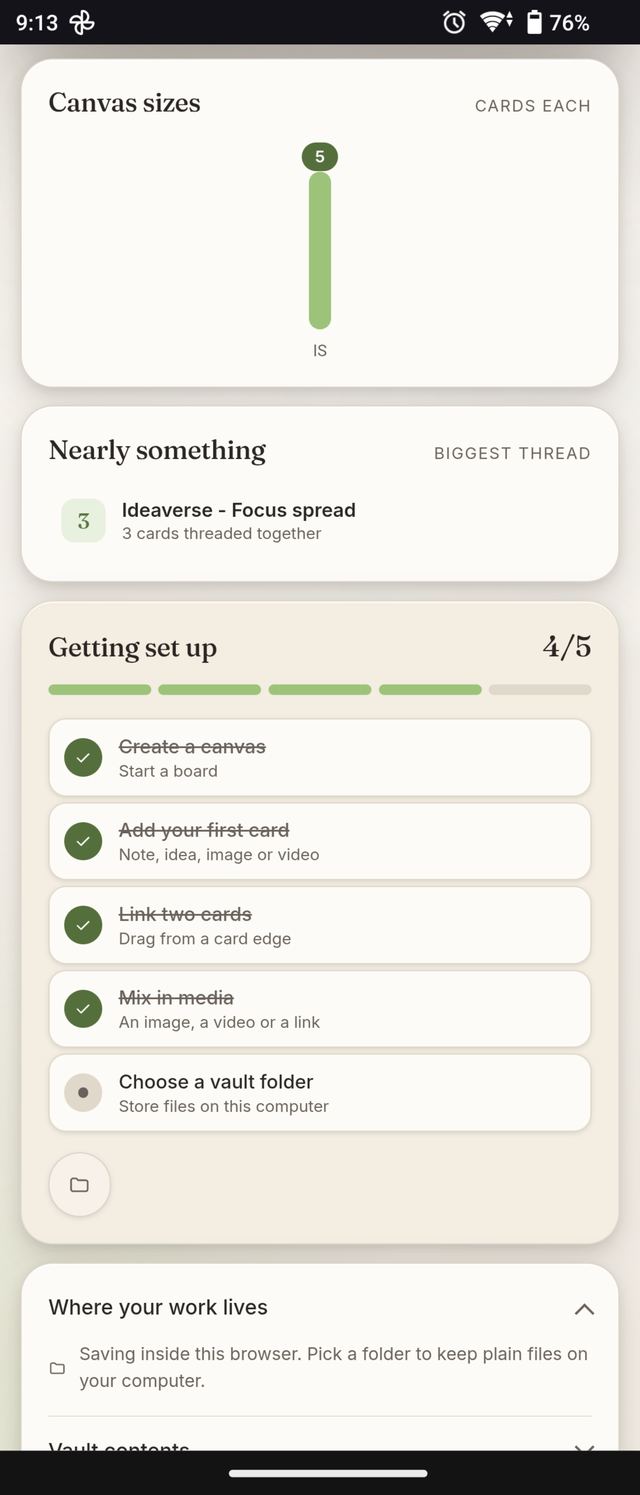
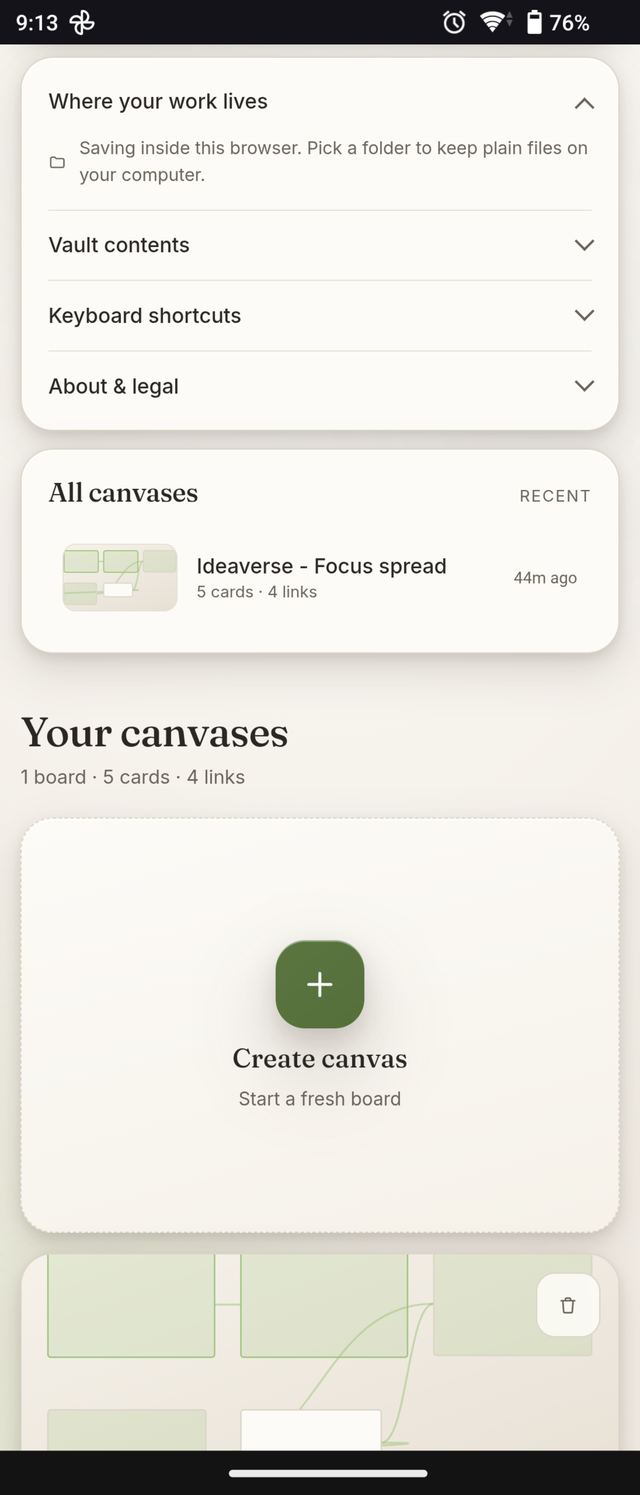
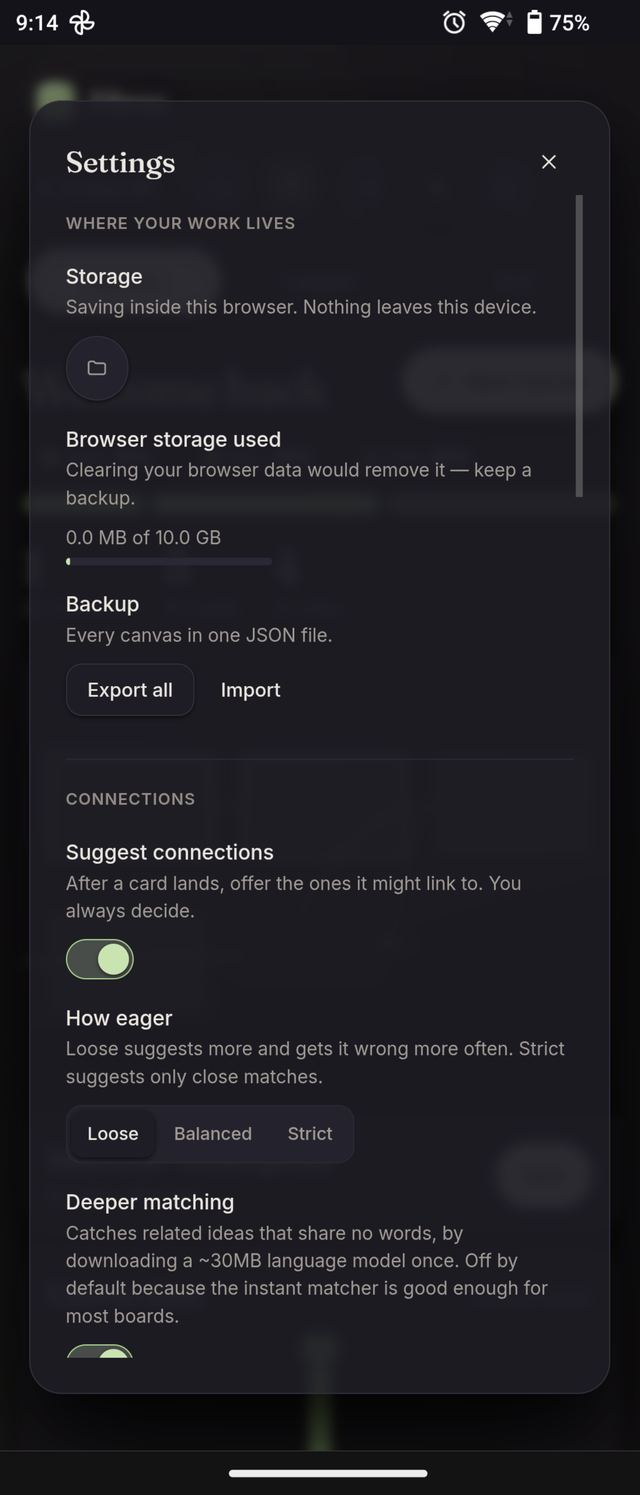
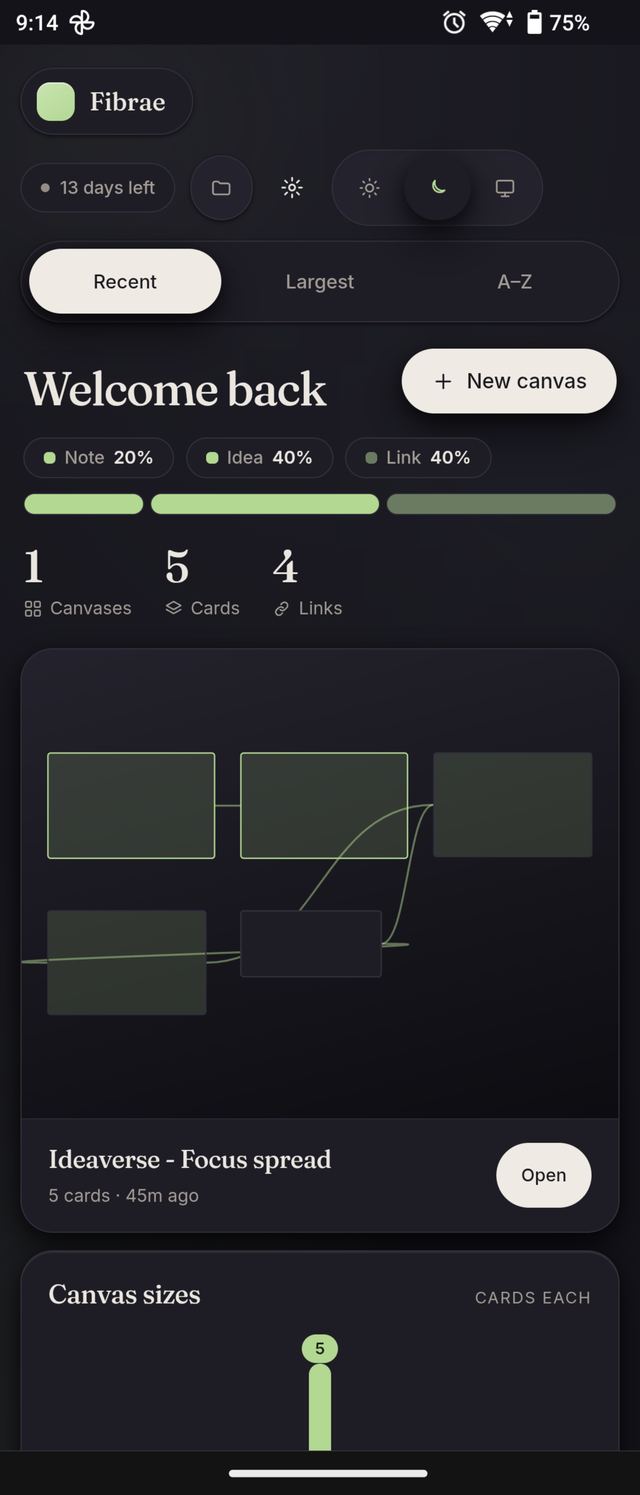
Press the mic, talk, press it again — the words land in the same box you were going to type into. Speech is transcribed by your own browser, so a spoken thought goes nowhere either.
Fibrae sits in your phone’s share sheet. Share → Fibrae on anything and it lands on your latest canvas, already unfurled. No app switch, no paste, no second step.
Ctrl+K from anywhere. Full text across every card, ranked properly, filtered by kind. Enter takes you straight to the card on the canvas.
One line when you open a canvas, about one thing worth returning to. Not a feed, not a badge, not a streak. Dismiss it and it’s gone for the week.
Both themes designed on purpose rather than inverted, and it follows your system by default. Contrast meets WCAG AA in both.
Most canvas tools hand you the desktop plane shrunk to 6 inches and wish you luck. Fibrae doesn’t: the canvas becomes a readable feed, with the map one tap away when you want to see the shape of it.
Fifty steps of history, Ctrl+Z and Ctrl+Shift+Z. Deleting a card is not a decision you have to be sure about.
Every canvas out as one JSON file, any draft out as Markdown. Nothing is trapped, and nothing needs our permission to leave.
Two weeks free and no card to start — one tap to sign in with Google, and that is the whole of it. The first card takes about ten seconds, and you’ll know by the second one whether this is for you.
after the free fortnight. Cancel any time.